
USB camera, or webcams if you will, have one very important feature. By means of a USB camera,you make the contact with your conversation partner even more personal than it already would be by directly speaking to one another. Being able to actually see each other is valuable, because talking to each other while you can look at your conversation partner is still the most pleasant. For example, if you want to catch up with family and friends abroad. A webcam also offers a solution for job interviews or meetings. You can even use them as a security camera or baby monitor. All very handy of course, but what exactly should you pay attention to when you decide to buy a USB camera? We explain that in detail in this article, so that you can be sure that you choose the best USB camera that suits your needs!
The most important features of a USB camera
First, we will tackle what to consider when buying a webcam. Webcams contain a lot of specifications and, as stated before, you do need to 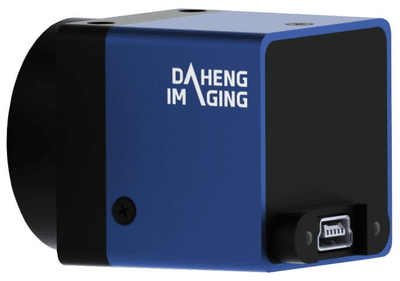 know what exactly you should pay attention to before you move through with your purchase. Below you find a list of the most important features of a USB camera.
- Microphone and headset
- Image quality
- Focus and zoom
- Photo abilities
- Operating system
- Fixation
So, what does all of that mean?
First, microphone and headset. If you computer has no built-in microphone, you need to make sure your USB camera does. You do not have to buy a separate microphone. There are also USB cameras with a headset, where you immediately have a microphone and headphones. Second, the image quality of your webcam is determined by the amount of images the camera can capture per second. We call this the number of frames per second. You can see a smooth image from 25 fps, but there are also webcams that record at 60 fps. Also take a good look at the resolution: do you want to film Full HD (1920 x 1080 pixels) or is HD ready (1280 x 720) enough? Third, focus and zoom. If your webcam has a manual zoom function, you can determine exactly which subject the camera focuses on. With a webcam without a zoom function, the camera does this automatically. You also have the so-called fixed focus, which has one or more automatic settings for zooming. Finally, you can also choose a webcam with face tracking. Thereby, the USB camera automatically follows your face and keeps it in the middle of the image. Regarding the operating system, because you use the webcam in combination with your computer, it is important to choose a webcam that your operating system can handle. Most webcams work fine in combination with Windows. There are also webcams specifically for Mac OS X for Apple computers. Lastly, there is the fixation of your USB camera. To ensure a stable image, it is important that you attach the webcam properly. That can be done in different ways. With a monitor clip you can attach the webcam to a flat screen or by using the mounting base. If you want to be able to point the webcam at other objects, then a webcam with a tripod is useful.